AUTODESK FOR SMALL BUSINESS

Enterprise technology for growing teams

Affordable software for architects, engineers, and makers - compare plans, pricing, and offers in one place

Find the software that fits your work - and your budget

Autodesk offers accessible solutions for professionals including AutoCAD for 2D and 3D drafting and Fusion for 3D modeling and printing.

Autodesk offers a variety of flexible payment options at checkout.

SPECIAL OFFER

AutoCAD LT

Cost-effective 2D CAD software for drafting, drawing, and documentation

$540/year

Add to Cart

SPECIAL OFFER

AutoCAD

Software for 2D and 3D CAD. Subscription includes AutoCAD, specialized toolsets, and apps.

$2,095/year

Add to Cart

SPECIAL OFFER

Revit

Plan, design, construct, and manage buildings with powerful tools for Building Information Modeling.

$3,005/year

Add to Cart

SPECIAL OFFER

Fusion

Cloud-based product design software for manufacturing, 3D modeling, electronics, simulation, and data management

$680/year

Add to Cart

* includes estimated VAT

Need help? Ask the Autodesk Assistant!


The Autodesk Assistant can answer common sales or support questions and, if you need more help, connect you to an agent.

Get your next project done with Autodesk

Whether you're creating construction documents, designing a site, or coordinating a building project, find the right Autodesk tools for the work ahead.

construction workers around a table viewing a floorplan

Coordinate building designs before construction


Bring architectural, structural, and building-system designs together to catch conflicts and coordinate changes before construction begins.

  • Combine models from different disciplines
  • Review designs for clashes and constructability
  • Visualize and communicate project changes
  • Prepare coordinated models and drawings


Best for:

Construction & multidisciplinary teams 


Save up to 80% over individual subscriptions by bundling with the AEC Collection


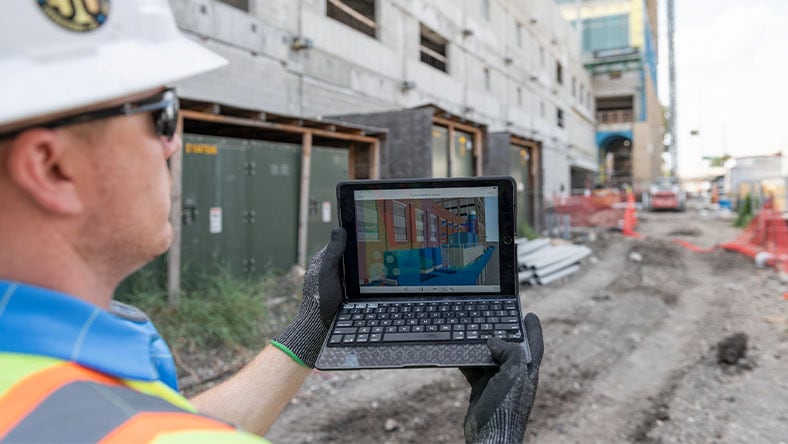
construction worker using software in the field

Create construction drawings and permit sets


Create accurate plans and construction documents for renovations, tenant improvements, and building projects with AutoCAD.

  • Create and update floor plans
  • Add dimensions, notes, and details
  • Incorporate markups and design changes
  • Prepare drawing sets for permits and construction


Best for:

Construction, design & engineering


3d model of an city and highway

Coordinate building designs before construction


Turn survey data and existing conditions into a detailed, construction-ready site design with Civil 3D.

  • Build an existing-ground surface from survey data
  • Design grading and drainage
  • Calculate cut and fill quantities
  • Create construction plans, profiles, and sections


Best for:

Civil engineering & site design


machinist using Autodesk software

Prototype and prepare parts for CNC machining and additive manufacturing


Bring parametric 3D design and CAM together, moving from design to CNC programming and manufacturing in one connected platform.

  • Create parametric 3D models for quick design changes
  • Create CAM toolpaths for CNC machining
  • Align teams with cloud collaboration and data management
  • Use connected workflows to reduce rework

Best for:

Product design & manufacturing teams


product designer using Autodesk software

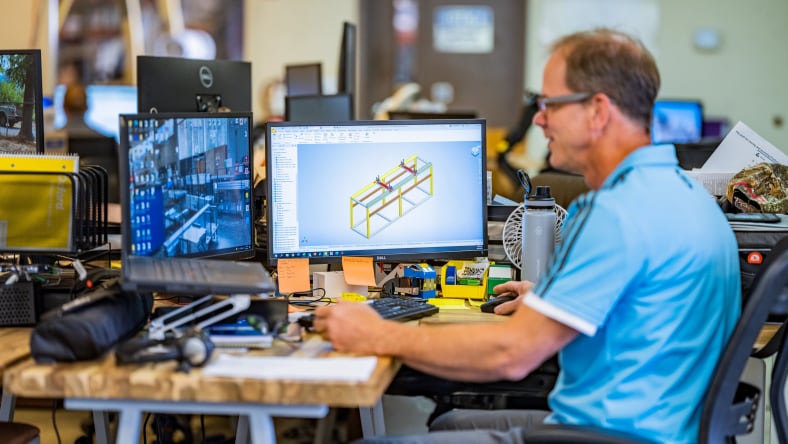
Design production-ready industrial machinery


Digitally validate form, fit, and function for custom mechanical designs before physical production.

  • Engineer custom industrial machinery
  • Test load conditions, motion behavior, and structural stress
  • Automate 2D drawings and parts lists
  • Design production-ready sheet metal components
  • Quickly create welded frame designs

Best for:

Customer machinery & sheet metal fabrication


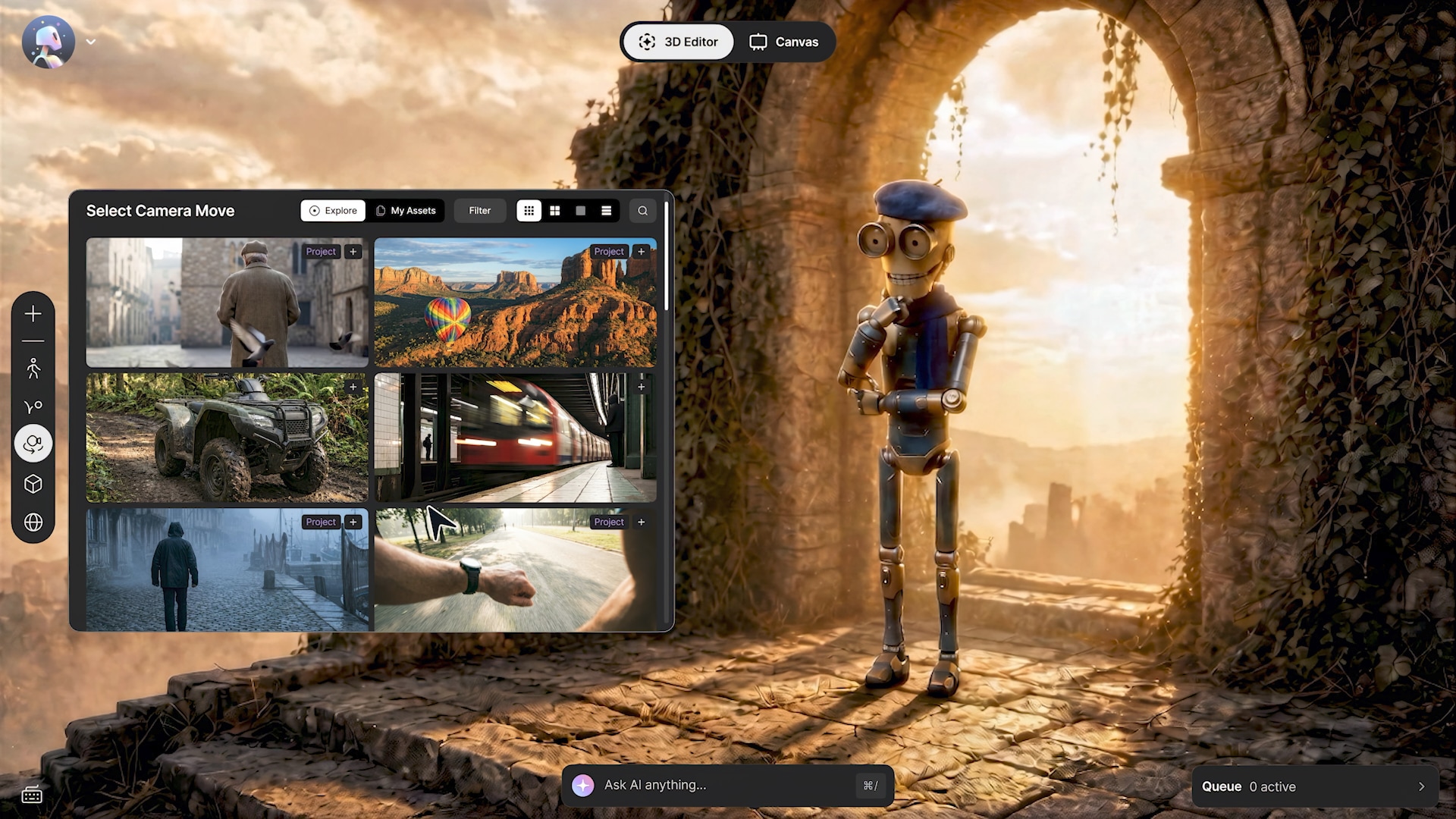
still shot of character animation in Autodesk Flow Studio

Make compelling stories with AI you control


Build and direct scenes with AI you control, then bring in leading models to refine shots you've already framed.

  • Stage scenes with characters you build yourself

  • Access leading image, video, audio, and text models
  • Capture body, face, and hand performance from real footage, with no suits or markers

  • Integrate with the tools you already use

Best for:

Indie filmmakers, content creators & game developers


Not ready for a subscription? Pay for your project with Flex tokens

Have a project in mind? Choose from the below industry-standard workflows and get your project up and running with Flex tokens​. Don't see your workflow? Access 100+ Autodesk products with Flex to mix and match your own solution — Starting as low as $99.


Actual usage varies by project. Token amounts are baseline estimates for these starter workflows. Token rates vary based on the product used. 

Create or update CAD drawings

Create or revise professional CAD drawings for a client, permit, bid, or field project with AutoCAD.

  • Create professional drawings
  • Clean up existing drawings
  • Revise drawings for delivery
  • Prepare client-ready files

Typical token usage for this workflow: 5 AutoCAD days.


Turn scans into existing conditions

Turn captured site data into a usable point cloud and focused model of existing conditions using ReCap Pro and Revit.

  • Process reality-capture data
  • Create a usable point cloud
  • Build existing conditions
  • Start a Revit model

Typical token usage for this workflow: 2 ReCap Pro days paired with 3 Revit days and up to 100 photos.


Turn CAD files into CNC-ready parts

Turn a customer-supplied model into validated toolpaths, NC code, and setup documentation with Fusion and the Fusion Manufacturing Extension.

  • Refine customer CAD
  • Make manufacturability edits
  • Create and validate toolpaths
  • Output machine-ready NC code
  • Prepare setup documentation

Typical token usage for this workflow: 3 days of Fusion paired with Fusion Manufacturing extension.


Plans and pricing that fit your business needs

BEST VALUE

Pay annually

Choose a 1-year or 3-year subscription and save up to 33% vs. monthly.

  • Lock in your price.
  • Predictable budgeting.
  • Great for production teams needing ongoing access and use the same product daily.

EASY COMMITMENT

Pay monthly

Short term flexibility.

  • Add or remove users anytime.
  • Convert to annual anytime, if needed.
  • Short term commitment helps manage cashflow.
  • Great for seasonal projects or temporary hires.

MOST FLEXIBLE

Pay daily

Starting at $99, prepay with Flex tokens for access to 100+ Autodesk products for a daily rate. Rates vary based on the product used.

  • Share tokens across users.
  • Stack with a subscription to unlock additional features from other products.
  • Great for occasional use.

FREE

Get started today

Free Autodesk tools you can use today. Create an account to access:

  • Free trials (up to 30-day access).
  • Autodesk Viewer.
  • API free tier for developers.
  • Free educational access.

Protect your business and design data with a special offer from CrowdStrike


Autodesk small business customers can save 50% on eligible CrowdStrike plans

Your Autodesk files, project data, and intellectual property are critical to your business. Help safeguard them with trusted cybersecurity protection from CrowdStrike.


CrowdStrike terms and conditions will apply. You will be redirected to the CrowdStrike website. ​

Introducing Autodesk for Small Business

Autodesk is launching Support for Small Business, giving small teams a direct path to live help. It joins new security offerings—including passkey sign-in, latest-version installs, and a CrowdStrike partnership—and commerce integrations that bring tool purchasing into Fusion.


Looking for more features from your subscription? Bundle and save with these offers

Get access to multiple productivity and automation tools, saving up to 80% over individual annual licenses with our bundled offers.

SPECIAL OFFER

AutoCAD Revit LT Suite

Create accurate designs and documentation with Revit LT for 3D BIM and AutoCAD LT for drafting, together in one cost-efficient bundle.

$85/month

Add to Cart

SPECIAL OFFER

Architecture Engineering & Construction Collection

Get AutoCAD, Revit, Civil 3D, Forma Site Design, and more, delivered in a single, cost-efficient purchase.

$460/month

Add to Cart

* includes estimated VAT

Get started with these resources

AutoCAD

  • Create precise 2D drawings and 3D models faster. This quick start guide helps you build skills and work with confidence.
  • Watch our webinar to learn five practical AutoCAD tips to work faster, avoid mistakes, and grow your business with confidence.
  • Watch this video to learn how AutoCAD cleanup tools help small teams quickly find and fix drawing errors.
  • Looking for AutoCAD support? Find help, answers, and resources.

AutoCAD LT

  • New to AutoCAD LT or need a refresher? This quick start guide helps small teams quickly build essential drafting skills so you can produce accurate drawings and stay productive from day one.
  • Looking for AutoCAD LT support? Find help, answers, and resources.

Revit

  • New to Revit or need a refresher? This quick start guide helps you build foundational BIM skills so you can create, document, and collaborate on projects with confidence from day one.

  • Build your Revit expertise faster and learn at your own pace—watch tutorials covering core workflows, modeling tools, documentation, and project coordination.

  • Strengthen your day-to-day Revit workflows with essential skills training focused on the tools and techniques architects, engineers, and design teams use most.

  • Looking for Revit support? Find help, answers, and resources

Revit LT

  • Get up and running with streamlined BIM workflows using this quick start guide, designed to help you create accurate building designs and document efficiently.
  • Build your Revit expertise faster and learn at your own pace—watch tutorials covering core workflows, modeling tools, documentation, and project coordination.
  • Strengthen your day-to-day Revit workflows with essential skills training focused on the tools and techniques architects, engineers, and design teams use most.
  • Looking for Revit support? Find help, answers, and resources.

Fusion

  • Build your CAD skills with core Fusion workflows designed for growing businesses. This quick start guide shows you how to design, model, assemble, and prepare products for production—so you can move from idea to reality faster.
  • Learn core Fusion tools and workflows in this video series that shows you how to design and manufacture a complete fishing reel assembly.
  • Looking for Fusion support? Find help, answers, and resources.
  • Empower your startup journey with Autodesk Fusion for startups – an all-in-one product development solution, tailored for eligible ventures in design and manufacturing. Unlock 3-year access at just $150 per user and up to 10 users per startup. Start accelerating innovation for your startup with integrated cloud-based CAD, CAM, CAE and PCB software.

Maya

Flow Studio

Access free products

try-free-trial-icon

Free trials

Download a free trial to explore the full capabilities of our latest versions of 3D design software.


Autodesk Viewer

View, annotate, and share feedback for free across 85+ 2D and 3D file formats – no installation required.

school-id-icon

Educational Access

Students can prepare for the jobs of tomorrow with free access to Autodesk software.

autodesk api

Autodesk APIs

Start using cloud APIs for free to customize workflows and build solutions that fit your business.

Stay up to date on promotions and special offers

Sign up for email alerts to get notified about all available deals, special offers, and promotions.

Connect, learn, and grow with Autodesk Community

Find answers, share expertise, give feedback, and connect with peers through community resources. Share feedback regarding Autodesk for Small Business by email at smallbusiness@autodesk.com.

Community hub

Find your community

Ask questions, get real-world solutions, and connect with experienced users.


AECO Community

The Big Room

Join the hub for AECO industry pros to share ideas, collaborate, and grow your network.


Connect and chat

Virtual meetups

Meet your peers and discuss the topics that matter to you in online meetups.


LEARNING AND FEEDBACK

Product Forums

Ask questions, connect with other users, and share feedback.


Do you have an amazing story?

Share your Autodesk Design & Make story for a chance to be featured on our website and recognized as a Design and Make leader.

Frequently asked questions

How can I combine Flex tokens with an AutoCAD LT subscription?

Go beyond 2D, only when you need to. Unlock full AutoCAD when projects demand more. Your AutoCAD LT subscription handles everyday drafting. When a project calls for 3D modeling or specialized toolsets like Architecture, Mechanical, or Electrical, use Flex tokens to unlock full AutoCAD for the day. No upgrade or purchase of a new AutoCAD subscription required. Pay for what you need. Access what you want.


Software subscriptions and Flex token combination: AutoCAD LT subscription with Flex tokens to access AutoCAD. 

Workflow objective: Access 3D capabilities and industry-specific toolsets on a project-by-project basis without upgrading your subscription.

Who it benefits: Small architecture, engineering, and design firms that primarily work in 2D but occasionally need full AutoCAD power. 


Recommended token amount: 

  • Get started with 33 tokens. 
  • Professionals tend to use 250 tokens per user per year for this use case.

For more information about using Flex tokens with subscriptions, check out this support article.


Additional Resources
How can I combine Flex tokens with an AutoCAD LT or Revit LT subscription?

Take on BIM projects without the overhead. Deliver BIM-ready work without a full Revit subscription. Use Flex tokens to access Revit when a project requires 3D building models, coordination, or BIM deliverables. Keep your AutoCAD LT (or Revit LT) subscription for daily work and scale into Revit only when the project calls for it.
 

Software subscriptions and Flex token combination: AutoCAD LT or AutoCAD Revit LT Suite subscription with Flex tokens to access full Revit. 

Workflow objective: Access full Revit for BIM modeling, coordination, and deliverables on select projects without committing to a separate subscription.

Who it benefits: Small architecture, engineering, and construction firms that handle both traditional drafting and occasional BIM work. 
 

Recommended token amount: 

  • Get started with 33 tokens. 
  • Professionals tend to use 200 tokens per user per year for this use case.

For more information about using Flex tokens with subscriptions, check out this support article.
 

Additional Resources
How much does AutoCAD cost for a small business?

AutoCAD costs about $260/month, or $2095 for an annual subscription, a savings of one thousand dollars. AutoCAD LT — Autodesk's 2D drafting tool built for small businesses and a cheaper alternative to AutoCAD — costs about $70/month.

What's the most affordable Autodesk CAD software for a small business?

For most small businesses, AutoCAD LT is the most affordable professional CAD software. AutoCAD LT is an industry-standard tool costing about $70/month.

What's the difference between AutoCAD and AutoCAD LT?

AutoCAD LT is 2D drafting only and cheaper alternative (about $70/month); full AutoCAD includes 3D capabilities and seven specialized tool sets (about $260/month).

Is Autodesk Fusion affordable for small businesses?

Yes. Autodesk Fusion combines CAD, CAM, and CAE in one tool for about $85/month or $680 for an annual subscription, a savings of over three hundred dollars.

Is there an affordable alternative to full AutoCAD?

Yes — and you can stay in the Autodesk ecosystem. AutoCAD LT (about $70/month) is a cheaper 2D CAD alternative to AutoCAD and is used for precise 2D drafting, design, and documentation.

Can I pay monthly for Autodesk software?

Yes. Every Autodesk subscription can be billed monthly, annually, or on a 3-year term. Check out our plan options.

What CAD software is best for a small architecture or construction firm?

For small architecture and construction firms, AutoCAD LT covers 2D documentation. If you are looking for more features from your subscription, save with our bundled offers. These include the Architecture, Engineering, and Construction Collection, which includes AutoCAD, Revit, Forma Site Design, Forma Building Design, and more, and the AutoCAD Revit LT Suite, and affordable bundle of AutoCAD LT and Revit LT.

How does Autodesk Flex work?

Autodesk Flex lets you pre-purchase tokens to access any product available with Flex for a daily rate. Rates vary based on the product used. Flex is a great option for team members or individuals who want to try a product or only need occasional access. Learn more about Flex.

How can I combine Flex tokens with an AutoCAD, Fusion, or Product Design and Manufacturing Collection subscription?

Step into full 3D mechanical design, project by project. Working in Fusion or AutoCAD and need parametric modeling, assembly management, or detailed part design? Use Flex tokens to access Inventor Professional for the projects that require it, then scale back when you're done. Access 3D mechanical design only when you need it.
 

Software subscriptions and Flex token combination: AutoCAD, Fusion, or Product Design and Manufacturing Collection subscription with Flex tokens to access Inventor Professional.


Workflow objective: Access full 3D mechanical design and parametric modeling capabilities on select projects without a separate Inventor subscription. 


Who it benefits: Small manufacturing firms and product designers who primarily use Fusion or lighter tools but periodically need Inventor's depth.


Recommended token amount: 

  • Get started with 33 tokens.
  • Professionals tend to use 200 tokens per user per year for this use case. 

For more information about using Flex tokens with subscriptions, check out this support article.

Additional Resources
How can I combine Flex tokens with a Fusion subscription?

Advanced tools for the projects that need them. Already working in Fusion? Use Flex tokens to access extensions for advanced simulation, cloud rendering, generative design, and advanced CAM. Get the power you need for specific projects without committing to a permanent upgrade. Start with as few as 33 tokens for $99.


Software subscriptions and Flex token combination: Fusion subscription and Flex tokens to access Fusion Extensions for rendering.

Workflow objective: Run advanced simulations, generate photorealistic renders, and access specialized manufacturing tools on a per-project basis.

Who it benefits: Product designers and small manufacturers who need advanced capabilities on select projects but not every day.


Recommended token amount: 

  • Get started with 33 tokens.
  • Professionals tend to use 33 tokens per user per year for this use case.

For more information about using Flex tokens with subscriptions, check out this support article.


Additional Resources

How can I combine Flex tokens with a Maya or 3ds Max subscription?

More artists. More tools. No long-term commitment. Scale your creative team during production peaks when production demands fluctuate. Use Flex tokens to give your team access to Maya, 3ds Max, or other creative tools during peak periods. Bring on freelancers, switch between tools, or access Arnold for rendering, and scale back when the project wraps.


Software subscriptions and Flex token combination: Maya or 3ds Max subscription and Flex tokens for additional Media & Entertainment tools or overflow access.

Workflow objective: Scale creative tool access up during production peaks and back down when projects wrap, without extra seats or long-term commitments.

Who it benefits: Studios, freelancers, and small M&E teams managing variable project demands and tight budgets. 


Recommended token amount: 

  • Get started with 33 tokens.
  • Professionals tend to use 275 tokens per user per year in Maya and 100 tokens per user per year for 3ds Max for this use case.

For more information about using Flex tokens with subscriptions, check out this support article.


Additional Resources

How much do subscriptions and upgrades cost?

All product subscriptions come with included benefits and are offered at local pricing for your region. Upgrading to a Business Success Plan is approximately US $200 SRP for eligible offerings.

How can I purchase or upgrade a subscription?

You can buy subscriptions online, through an Autodesk representative, or an Autodesk Partner.

How can I combine Flex tokens with Autodesk software subscriptions?

There are five common workflows where Autodesk recommends individual professionals and teams combine Flex tokens with their software subscriptions to unlock productivity and value for their projects. 


Use Case 1: Unlock Full AutoCAD When Projects Demand More

Going beyond 2D, only when you need to. Your AutoCAD LT subscription handles everyday drafting. When a project calls for 3D modeling or specialized toolsets like Architecture, Mechanical, or Electrical, use Flex tokens to unlock full AutoCAD for the day. No upgrade or purchase of a new AutoCAD subscription required. Pay for what you need. Access what you want.

Software subscriptions and Flex token combination: AutoCAD LT subscription with Flex tokens to access AutoCAD. 

Workflow objective: Access 3D capabilities and industry-specific toolsets on a project-by-project basis without upgrading your subscription.

Who it benefits: Small architecture, engineering, and design firms that primarily work in 2D but occasionally need full AutoCAD power.

Recommended token amount: 

  • Get started with 33 tokens. 

  • Professionals tend to use 250 tokens per user per year for this use case.


Use Case 2: Deliver BIM-Ready Work Without a Full Revit Subscription

Take on BIM projects without the overhead. Use Flex tokens to access Revit when a project requires 3D building models, coordination, or BIM deliverables. Keep your AutoCAD LT (or Revit LT) subscription for daily work and scale into Revit only when the project calls for it.

Software subscriptions and Flex token combination: AutoCAD LT or AutoCAD Revit LT Suite subscription with Flex tokens to access full Revit.

Workflow objective: Access full Revit for BIM modeling, coordination, and deliverables on select projects without committing to a separate subscription. 

Who it benefits: Small architecture, engineering, and construction firms that handle both traditional drafting and occasional BIM work.

Recommended token amount: 

  • Get started with 33 tokens.

  • Professionals tend to use 200 tokens per user per year for this use case. 


Use Case 3: Access 3D Mechanical Design When You Need It

Step into full 3D mechanical design, project by project. Working in Fusion or AutoCAD and need parametric modeling, assembly management, or detailed part design? Use Flex tokens to access Inventor Professional for the projects that require it, then scale back when you're done.

Software subscriptions and Flex token combination: AutoCAD, Fusion, or Product Design and Manufacturing Collection subscription with Flex tokens to access Inventor Professional.

Workflow objective: Access full 3D mechanical design and parametric modeling capabilities on select projects without a separate Inventor subscription. 

Who it benefits: Small manufacturing firms and product designers who primarily use Fusion or lighter tools but periodically need Inventor's depth.

Recommended token amount: 

  • Get started with 33 tokens.

  • Professionals tend to use 200 tokens per user per year for this use case. 


Use Case 4: Level Up with Advanced Simulation, Rendering, and CAM

Advanced tools for the projects that need them. Already working in Fusion? Use Flex tokens to access extensions for simulation, cloud rendering, generative design, and advanced CAM. Get the power you need for specific projects without committing to a permanent upgrade. Start with as few as 33 tokens for $99.

Software subscriptions and Flex token combination: Fusion subscription and Flex tokens to access Fusion Extensions for rendering.

Workflow objective: Run advanced simulations, generate photorealistic renders, and access specialized manufacturing tools on a per-project basis. 

Who it benefits: Product designers and small manufacturers who need advanced capabilities on select projects but not every day.

Recommended token amount: 

  • Get started with 33 tokens.

  • Professionals tend to use 33 tokens per user per year for this use case. 


Use Case 5: Scale Your Creative Team During Production Peaks

More artists. More tools. No long-term commitment. Production demands fluctuate. Use Flex tokens to give your team access to Maya, 3ds Max, or other creative tools during peak periods. Bring on freelancers, switch between tools, or access Arnold for rendering, and scale back when the project wraps.

Buy tokens

Software subscriptions and Flex token combination: Maya or 3ds Max subscription and Flex tokens for additional Media & Entertainment tools or overflow access. 

Workflow objective: Scale creative tool access up during production peaks and back down when projects wrap, without extra seats or long-term commitments.

Who it benefits: Studios, freelancers, and small M&E teams managing variable project demands and tight budgets.

Recommended token amount: 

  • Get started with 33 tokens. 

  • Professionals tend to use 275 tokens per user per year in Maya and 100 tokens per user per year for 3ds Max for this use case.

Additional Resources

How long do I have to use my Flex tokens, and do they roll over?

You have one year from the purchase date to use your Flex tokens. Since Flex is a prepay model, tokens do not roll over, but you can purchase more at any time. Autodesk will notify you when your token balance is running low.

How am I charged for Flex product usage?

For products and services charged per day
When a user opens and signs into an Autodesk product included with Flex, they will be charged a daily rate per product once every 24 hours. Users will not be charged for using multiple versions or reopening the product within the 24-hour period.


For example, Priscilla opens and signs into AutoCAD from 8 AM–5 PM on Monday. Her team is charged 7 tokens. She opens AutoCAD from 7 AM–5 PM on Tuesday. Her team is charged 7 tokens at 8 AM. She closes AutoCAD at 5 PM and does not open it again for the week. She will only be charged for two days of usage use.


For products and services charged per result
Users will be charged a variable rate based on the type of result (for example, rendering an image in Revit).


View the rates for each product and service available with Flex.

Can I have a mix of both Flex and subscription?

Yes, admins can have users on a mix of subscriptions and Flex.


When a user is assigned to both subscriptions and Flex, subscriptions will be used before tokens. For example, if Priscilla is assigned to Flex and a subscription of AutoCAD, she will use her subscription when she accesses AutoCAD and will not use any tokens. If she accesses Revit without a subscription, she will use tokens.

View more FAQs